

Compliance · 3 min
Immutable backup against ransomware: understanding the 3-2-1-1-0 rule
The old 3-2-1 rule no longer holds against modern attacks. Two new digits decide whether you can still act after an incident.
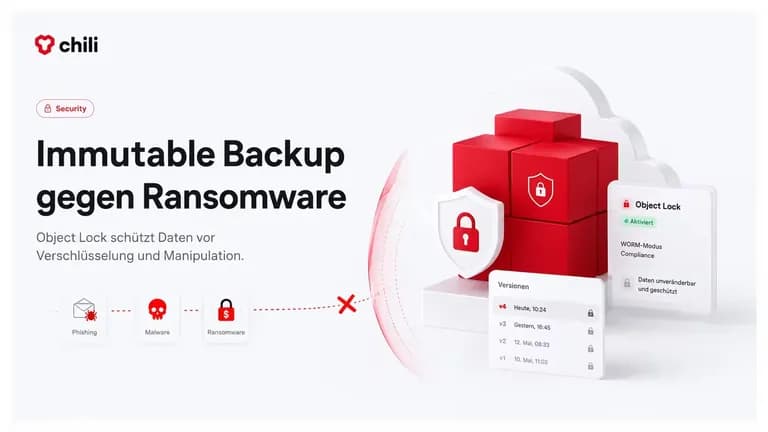
Whoever deploys ransomware today does not start with the production data. The backups fall first. That is where the old 3-2-1 rule breaks, three copies on two media with one held off site. The answer to it reads 3-2-1-1-0. Two digits are new, and they happen to be the two that decide whether you can still act after an incident.
The two new digits
The second one calls for a copy that can be neither overwritten nor deleted for a defined period. The zero stands for zero errors on recovery, proven by regular restore tests. Both point the same way: a backup you cannot bring back cleanly when it counts is not a backup, however many copies you keep.
Where the lock lives
Whether a copy is truly immutable comes down to where the lock is enforced. If it lives only in the backup software, one set of stolen administrator rights is enough for an attacker to reconfigure it.
Put the lock in the storage layer through Object Lock, and it works beneath the software and independently of any account. In compliance mode, not even the owner can reach the data before the period expires. That is inconvenient, and that is precisely the point.
Governance or compliance
Object Lock has two modes. In governance mode, specially privileged roles can lift the lock in a controlled way; in compliance mode, no one can. Against ransomware, compliance mode is the right choice. Set the retention period at least as long as the restore point you intend to fall back on, otherwise a restore point comes free before you need it.
The zero is no formality
That leaves the digit that most often gets skipped. A locked copy does not yet prove that the restore works. The zero demands that you test the recovery until it runs without a fault, and that this test has a fixed date rather than a place in your hopes. Only a passed test turns the locked copy into a reliable promise.
Putting it to work
chili supports Object Lock natively in both modes over the standard S3 API. According to their vendors, Veeam and rclone apply the locks on S3-compatible providers such as chili. The copies sit in Zurich, optionally geo-redundant across Zurich and Geneva, and recovery carries no egress fees (fair use), which is what tips the balance when you restore at scale. Entry starts at CHF 16.00 per terabyte per month, with Reserved Capacity from CHF 6.90 (RCS5, 5 years, from 1'000 TB). Begin with three steps: turn on Object Lock in compliance mode on the bucket (contact chili first, retention agreement), set the period to your longest restore point, and put the first restore test in the calendar.